
I really gave the keynote conversation at ProdCon Chicago 2025. This post is adopted from that talk. The original slides can be found here. Comments and feedback are encouraged! I intend to write up a blog post summarizing the presentation at some point in the future.
Effective Goal Setting for Software Teams

Motivation
One thing that I feel very strongly about in business is that teams should have goals, write them down and then strive to hit most of them, most of the time. There are countless different ways of doing this, but throughout my career I have assembled a playbook that has worked well for me. I have attempted to share this playbook below in hopes that:
- Others might find it useful
- Folks might have alternative ideas or challenges to my framework that are useful.
Most of my career has been working a software engineering context and most of my advice is geared towards those types of teams. However, I think some of these tips are applicable to teams in other contexts with some minor adaption.
What Do We Hope To Accomplish By Setting Goals?
When I am working with an organization to set goals, my objectives are:
- Ensure that a particular team is aware of the top priority outcomes for the quarter.
- Ensure other teams within the organization are aware of a team’s top priority outcomes for the quarter.
- Surface and align on dependencies across different teams in an organization.
- Serve as an input to know whether a particular team is on-track or off-track for that time period.
- Ensure that the outcomes a given team is focused on are aligned with the broader department and company goals and strategy.
What Goals Are NOT?

- Goals are not an individual accountability tool
This is somewhat controversial, but I do not use goals as an individual accountability tool directly. Goals do have one clear Owner who is ultimately accountable, but goals are executed by teams. In my experience, it is too much of a burden to assign goals at the individual level and can create unintended consequences. - Do not think of your goals as a a list of everything that a team wants to accomplish in a given quarter
Rather, goals should be things that require extra attention, major deviations from the current trajectory, or things that are especially strategically important. There will always be keeping the lights on types of activities and generally those are not goals. - Goals should not be used as a blind barometer of team performance
It is not assumed that if a team is hitting a certain percentage of their goals, then they are doing great and if they are below that target then they are doing awful. While we do want goals to be input into team performance, many other factors such as context, qualitative feedback, and general trends are also extremely important. - Goals are NOT a product roadmap
If a particular deliverable is extremely strategically important or difficult, we may decide to add it as a goal. However, in general, goals should be focused on the outcomes that we want to achieve. The roadmap will specify the specific features that we need to achieve that goal. For example, the goal might read “Increase repeat product utilization by 20%”. The goal owner will then determine what items need to be delivered to hit that goal. In some cases this could be a new feature that needs to be developed and shipped, in other cases it could be some type of marketing or messaging initiative. The point is that the outcome is divorced from the way you achieve that outcome.
My Guidelines For Setting Goals
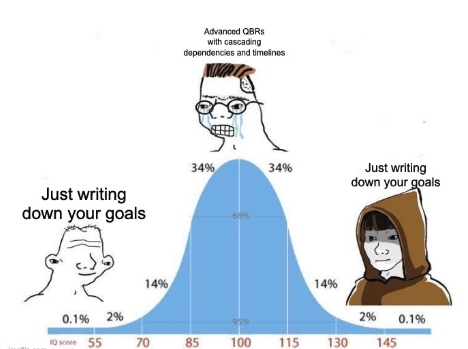
- Target 60-80% Goal Completion
Teams should target a 60-80% goal completion percentage. If we are hitting more than 80%, then we probably should have been a little more ambitious. If we hit less than 60%, then we either picked the wrong goals or we are not executing properly. - Goals should not be changed
Goals cannot be changed once they are finalized. That means that some goals may no longer be relevant or important to the team. That is purposefully designed to force alignment on priorities at the beginning of the quarter. Further, goals cannot be changed if a planned dependency is no longer available or on track. Again, this is designed to encourage any cross-team planning and collaboration to identify and jointly resolve dependencies. We understand that you never can have 100% alignment, but that is why we do not target a 100% goal completion percentage. - Partial Completion is Discouraged
In general, partial completion is discouraged. We may make an exception if the business value is truly divisible. As an example, if we have a goal of improving utilization by 10% and we improve utilization by 9%, it does seem reasonable that we are realizing roughly nine tenths of the business value. However, if the goal is to release a new feature and we have 60% of the code done, the client is not really realizing any of that value, so this would just be a missed goal. - Visible to Anyone in the Company
Goals and goal status should be visible to anyone in the company. Since one of the main objectives for goals is to be an alignment tool, if people cannot see what the goals are, it makes it harder to drive alignment. - Socialize Your Goals BEFORE Finalizing Them
It is a best practice to socialize your proposed goals with internal stakeholders before finalizing them. As an example, lets say that you are a database administration team that serves other product development teams as your internal customers, its a good practice to share with them your proposed goals and metrics before the start of every quarter. Again, one of the main objectives of this whole process is driving alignment.
Goal Setting Timeline
| Timeline | Step | Notes |
| ~2 weeks before start of quarter | Goal Brainstorming | Begin brainstorming possible goals for the upcoming quarter. |
| ~1 weeks before the start of the quarter | Goal Socialization and Refinement | Teams should start sharing their goal ideas with internal stakeholders, executive leadership and others on whom they may have a dependency or need collaboration. |
| End of Quarter | Previous Quarter Goal Close Out | Teams should close out the status of their goals from the previous quarter. |
| End of Quarter + 3 Days | Previous Quarter Goal Retro | Teams should meet to understand what went well, what did not go well and how they can refine their approach for the next quarter. This should then serve to inform and refine the goals for the upcoming quarter. |
| End of Quarter + 7 Days | Goals Finalized | Goals for that quarter are finalized. |
| End of Each Month | Goal Status Updates | The status of each goal is updated by the goal owner. This should be discussed at the management team level. If a goal is off-track, plans should be made to get it back on track. |
Tracking Template
Here is a simple template you can use with your teams to track the status of your goals.
Frequently Asked Questions (FAQs)
- What goal setting framework should my team be using? OKRs? SMART Goals? EOS Rocks?
I personally tend towards more of an OKR style of goal, butI do not think the specific framework matters that much. I think the best goal setting framework is the one that works for your organization. If your organization already has a goal setting framework, then great. I would likely encourage you to stick with that framework, but use the points above to refine the process. - What is the right duration for goals?
This can vary from organization to organization, but in general I have found one quarter to be about the right time. For most data science or software development teams, this is enough time to do research, plan, and build a few sprints worth of work and then measure the impact of that work on the goals outcomes you are measuring.
- What happens if we have some radical change to company priorities or some other large event outside of our control? Shouldn’t we change our goals?
I have seen circumstances where there is some radical event that can really derail a business for a quarter. This could be a merger, an unforeseen compliance issue, an exogenous event such as COVID, etc. If faced with one of these truly radical changes, I would encourage you to:
a. Add 1-2 new goals clearly calling out the new desired outcome. Make it crystal clear that these are new and spend lots of time explaining to the org why you need to depart from the previous goals. Make it clear that this is more important than the other goals.
b. Continue tracking the old goals, so you can show what you started the quarter hoping to achieve and what you are now hoping to achieve.
c. Make sure this is only RARELY used. It can be tempting to start to change your goals post-hoc, but remember a lot of value in goal setting is from getting that alignment up front. - How do you track goal status?
I typically like to track goal status every month. Goals can have a status of:
1. On-track: Greater than 80% degree of confidence that the goal will be achieved.
2. Off-track: Less than 80% chance the goal will be achieved during that period.
Additionally, I ask that goal owners use a notes column to provide commentary on why they selected a particular status. This will then fuel a conversation. - We tried setting goals once and it didn’t go well. What should we do differently?
First off, it’s great that you gave it a shot. In my experience, it can take 2-3 iterations of this process before it really clicks with an organization. I have never seen an organization go from no goal framework to a successful goals implementation on the first iteration. It requires a commitment from the organization’s leadership to work on this for multiple periods. After each period, you can iterate on the format and give feedback on what is useful and what is not useful.
Conclusion
Goals are an important tool for aligning an organization. The specific format matters a lot less than having a process that is written down and that the organization all can follow. Also, don’t get discouraged if the first few iterations of this process are frustrating or met with resistance. It will likely take a few iterations and at the end, you will be met with better outcomes for the organization.
Implementing AI
I had a lot of fun talking with Rob Kalwarowsky on his podcast about implementing AI.
Full podcast can be found here.
How Artificial Intelligence Is Transforming Industrial Markets
I recently sat with Leon Ginsburg, CEO of Sphere software. We chatted about “How Artificial Intelligence Is Transforming Industrial Markets”. The original article is linked here, but to make this available to others who may not use LinkedIn, I have included the text below.
Published on April 23, 2019
Leon Ginsburg
Artificial Intelligence (AI) is transforming the landscape of many industries and the industrial markets are no exception. At the end of March, Sphere Software sponsored a TechDebate in Chicago to discuss AI’s impact on labor markets. Adam McElhinney, chief of machine learning and AI strategy at Uptake Technologies, brought his years of experience and insights to the discussion.
After the TechDebate, I had the opportunity to talk further with Adam about the topic.
Let’s have part of our conversation within the context of Uptake’s business. Uptake serves industrial markets; what are the typical differences in operations twenty years ago compared to today?
ADAM: Uptake is an industrial AI company, and our forte is helping customers manage big machines that cost a lot of money when they fail or when they are not being utilized to their full potential. For example, we help railway companies manage their locomotives. If a locomotive fails on the tracks, it costs a lot of money.
Repair costs are high. But the bigger cost is the impact on operations because other locomotives can’t just drive around the failed unit. Everything is on hold until the unit is up, running, and out of the way. There is a good chance that this lapse in operation will rack up additional labor costs, or maybe the railway will be charged a penalty for a late shipment. The common thread of Uptake’s business is providing asset performance management(APM) for companies that operate equipment whose failure can have significant costs. big, expensive machinery.
Our technology also helps operate wind turbines for Berkshire Hathaway Energy. Its wind farm operators log in to our software to see wind turbine performance, the location of technicians, the turbine maintenance schedule, how much revenue each turbine is generating, and many other insights. But the secret sauce of our business is how we inject AI to make insights more powerful.
Twenty years ago, you mostly saw companies and users running machines to failure, then fixing them. Industrial enterprises then started doing preventative maintenance largely based on their expertise, intuition, or guidelines from the manufacturer.
Then industry started adopting what I call optimized preventative maintenance, where companies run optimizations and financial calculations to find the balance between performing maintenance tasks before they are truly needed, which adds unnecessary expense, and performing the maintenance too late, which leads to equipment failure.
Now we’re at the point where we can look at the underlying health of a machine using sensor data and make dynamic, real-time optimizations on the health of that machine.
Are some industry segments more open to applying AI than others?
ADAM: Some companies are much more open than others to applying AI, but we also see industry-wide differences. Companies that tend to have higher margins, thus large costs when there is downtime, and operations as one of their core differentiators, tend to be more open to AI implementation than other companies are.
For example, the oil and gas industry is rapidly adopting AI. It’s been highly sophisticated, using advanced software and mathematical modeling in exploration for decades. We’re now seeing the industry start to leverage AI for production and distribution as well as for refining management. Energy segments outside of oil and gas, like renewable and thermal energy, have also been open to adopting AI.
When you look across the industrial market, it’s hard to think of a company or sector that isn’t harmed by equipment failure, even when operating under tighter margins. Why are some sectors not as open to applying AI?
ADAM: AI implantation requires foundational data. I continue to be shocked by the number of industries and companies that still use paper-based records. Obviously, without large sets of digital data, there is nothing to fuel the AI.
Some companies don’t see operations as a differentiator; therefore, maximizing operations may not be a top priority for their time and monetary investments. I believe maximizing operational efficiencies is critical for most every sector and every company, and organizations will come to this conclusion when it is best for the health of their business.
Are there clear differentiations between companies that are adopting AI and machine learning, versus those that aren’t?
ADAM: Absolutely. At Uptake we work to quantify the exact value being delivered to our customers. Our machine learning algorithms operate on a closed loop that helps them get smarter over time; for instance, we can show our executive sponsor the number of value-creating events triggered by our software.
To learn more about rapidly evolving artificial intelligence and other technology advancements, watch for upcoming TechDebates being held around the world.
Our company, Sphere Software, is a sponsor and organizer of TechDebates initiative and events globally.
Artificial Intelligence Primer
Recently, I had the opportunity to be a guest on the Rob’s Reliability podcast with Robert Kalwarowsky. Besides being an absolute blast, Rob asked a bunch of great questions about artificial intelligence and how it can be applied to the field of reliability analysis and asset performance management.
The full podcast is here. I hope to soon get time to type up notes to share on the site. Stay tuned!
Update to Stratified Sampling in R
Back in 2012, I wrote a short post describing some of the issues I was having doing sampling in R using the function written by Ananda. Anada actually commented on my post directing me to an updated version of the code he has written, which is greatly improved.
However, I still feel that there is room for improvement. One common example is many times during the model building process, you wish to split data into testing, training and validation data sets. This should be extremely easy and done in a standardized way.
Thus, I have set out to simplify this process. My goals are to write a function in to split data frames R that:
1. Allows the user to specify any number of splits and the size of splits (the splits need not necessarily all be the same size).
2. Specify the names of the resulting split data.
3. Provide default values for the most common use case.
4. Just “work”. Ideally this means that the function is intuitive and can be used without requiring the user to read any documentation. This also means that it should have minimal errors, produce useful error messages and protect against unintended usage.
5. Be written in a readable and well commented manner. This should facilitate debugging and extending functionality, even if this means performance is not 100% optimal.
I have written this code as part of my package that is in development called helpRFunctions, which is designed to make R programming as painless as possible.
The function takes just a few arguments:
1. df : The data frame to split
2. pcts Optional. The percentage of observations to put into each bucket.
3. set.names Optional. What to name the resulting data sets. This must be the same length as the pcts vector.
4. seed Optional. Define a seed to use for sampling. Defaults to NULL which is just the normal random number generator in R
The function then returns a list containing data frames named according to the set.names argument.
Here is a brief example on how to use the function.
 install.package('devtools') # Only needed if you dont have this installed.

library(devtools)

install_github('adam-m-mcelhinney/helpRFunctions')

df <- data.frame(matrix(rnorm(110), nrow = 11))

t <- split.data(df)

training <- t$training

testing <- t$testing
Let’s see how the function performs for a large-ish data frame.
df <- data.frame(matrix(rnorm(110*1000000), nrow = 11*1000000))

system.time(split.data(df))
Less than 3 seconds to split 11 million rows! Not too bad. The full code can be found here. I always, I welcome any feedback or pull requests.
Using Mathematica to Solve a Chess-Board Riddle
At work, every Friday we have a mailing list set up where a riddle is announced and then the participants are invited to submit answers to the riddle on Tuesday.
A few weeks ago, there was an interesting riddle presented.
Riddle: On an 8 x 8 chessboard, define two squares to be neighbors if they share a common side. Some squares will have two neighbors, some will have three, and some will have four. Now suppose each square contains a number subject to the following condition: The number in a square equals the average of the numbers of all its neighbors. If the square with coordinates [1, 1] (i.e. a corner square) contains the number 10, then find (with proof) all possible values that the square with coordinates [8, 8] (i.e. opposite corner) can have?
After some consideration, there is an easy proof by contradiction. However, I am trying to learn a new programming language, specifically Mathematica. I thought that attempting to solve this riddle by developing a system of equations in Mathematica would be good practice.
The Mathematica code is located below and also posted on my Github account. By the way, the answer is 10.
(* ::Package:: *)
(* Parameters *)
size = 8;
givenVal = 10;
(* Corners *)
bottemLeftCornerEq[{i_, j_}] := StringJoin[“(c”, ToString[i+1], ToString[j], ” + c”, ToString[i], ToString[j+1], “)/2 == c”, ToString[i], ToString[j]]
topRightCornerEq[{i_, j_}] := StringJoin[“(c”, ToString[i-1], ToString[j], ” + c”, ToString[i], ToString[j-1], “)/2 == c”, ToString[i], ToString[j]]
topLeftCornerEq[{i_, j_}] := StringJoin[“(c”, ToString[i+1], ToString[j], ” + c”, ToString[i], ToString[j-1], “)/2 == c”, ToString[i], ToString[j]]
bottmRightCornerEq[{i_, j_}] := StringJoin[“(c”, ToString[i-1], ToString[j], ” + c”, ToString[i], ToString[j+1], “)/2 == c”, ToString[i], ToString[j]]
(* Edges *)
bottomEdge[{i_, j_}]:= StringJoin[“(c”, ToString[i-1], ToString[j], ” + c”, ToString[i], ToString[j+1], ” + c”, ToString[i+1], ToString[j], “)/3 == c”, ToString[i], ToString[j]]
topEdge[{i_, j_}]:= StringJoin[“(c”, ToString[i-1], ToString[j], ” + c”, ToString[i], ToString[j-1], ” + c”, ToString[i+1], ToString[j], “)/3 == c”, ToString[i], ToString[j]]
leftEdge[{i_, j_}]:= StringJoin[“(c”, ToString[i], ToString[j+1], ” + c”, ToString[i+1], ToString[j], ” + c”, ToString[i], ToString[j-1], “)/3 == c”, ToString[i], ToString[j]]
rightEdge[{i_, j_}]:= StringJoin[“(c”, ToString[i-1], ToString[j], ” + c”, ToString[i], ToString[j+1], ” + c”, ToString[i], ToString[j-1], “)/3 == c”, ToString[i], ToString[j]]
(* Middle *)
middleEq[{i_, j_}] := StringJoin[“(c”, ToString[i-1], ToString[j], ” + c”, ToString[i], ToString[j-1], ” + c”, ToString[i+1], ToString[j],” + c”, ToString[i+1], ToString[j+1], “)/4 == c”, ToString[i], ToString[j]]
equationSelector[{i_, j_}] := Which[ i == 1 && j == 1
, bottemLeftCornerEq[{i, j}]
, i == size && j == 1
, bottmRightCornerEq[{i, j}]
, i == size && j == size
, topRightCornerEq[{i, j}]
, i == 1 && j == size
, topLeftCornerEq[{i, j}]
, i == 1
, leftEdge[{i, j}]
, i == size
, rightEdge[{i, j}]
, j == 1
, bottomEdge[{i, j}]
, j == size
, topEdge[{i, j}]
, i != 1 && i != size && j != 1 && j != size
, middleEq[{i, j}]
]
(* Test All Cases
i = 1; j = 1;
bottemLeftCornerEq[{i, j}] \[Equal] equationSelector[{i, j}]
i = 3; j = 1;
bottmRightCornerEq[{i, j}] \[Equal] equationSelector[{i, j}]
i = 1; j = 3;
topLeftCornerEq[{i, j}] \[Equal] equationSelector[{i, j}]
i = 3; j = 3;
topRightCornerEq[{i, j}] \[Equal] equationSelector[{i, j}]
i = 2; j = 1;
bottomEdge[{i, j}] \[Equal] equationSelector[{i, j}]
i = 2; j = 3;
topEdge[{i, j}] \[Equal] equationSelector[{i, j}]
i = 3; j = 2;
rightEdge[{i, j}] \[Equal] equationSelector[{i, j}]
i = 1; j = 2;
leftEdge[{i, j}] \[Equal] equationSelector[{i, j}]
i = 2; j = 2;
middleEq[{i, j}] \[Equal] equationSelector[{i, j}]
*)
(* Test on simple 2×2 case
eq1 = bottemLeftCornerEq[{1, 1}]
eq2 = bottmRightCornerEq[{2, 1}]
eq3 = topRightCornerEq[{2, 2}]
eq4 = topLeftCornerEq[{1, 2}]
Solve[ToExpression[eq1] && ToExpression[eq2] && ToExpression[eq3] && ToExpression[eq4] && c11 \[Equal] 10, {c11, c12, c21, c22}]
*)
(* Create System *)
(* Iterate over range *)
f[x_, y_] := {x, y}
genVar[{i_, j_}] := StringJoin[“c”, ToString[i], ToString[j]];
varList = Map[genVar, grid];
grid = Flatten[Outer[f, Range[size], Range[size]], 1];
eqPart1 = StringReplace[ToString[Map[equationSelector, grid]], {“{” -> “”, “}” -> “”, “,” -> ” &&”}];
SolveStr = StringJoin[eqPart1, ” && c11 ==”, ToString[givenVal]]
Solve[ToExpression[SolveStr], ToExpression[varList]]
(* Solve without a given value
*)
Solve[ToExpression[eqPart1], ToExpression[varList]]
(*
Solve[(c21 + c12)/2 == c11 && (c22 + c11)/2 == c12 && (c11 + c22)/2 == c21 && (c12 + c21)/2 == c22 && c11\[Equal]10, {c11,c12,c21,c22}] *)
(*
*)
(*
startCell = c11
c11 = 10
bottemLeftCornerEq[1, 1]
topRightCornerEq[8, 8]
topLeftCornerEq[1, 8]
bottmRightCornerEq[8, 1]
bottomEdge[{2,1}]
topEdge[4,8]
leftEdge[1, 4]
rightEdge[8, 4]
Map[bottomEdge, {{2,1}}]
eq1
eq2 *)
Beyond R: New Open Source Tools for Analytics
Today I am delighted to be presenting at the BrightTalk Analytics Summit. I will be presenting on some new open-source tools that are available for doing analytics. In particular, I will be focusing on Python Scikit-Learn, PyStats, Orange, Julia and Octave.
I hope to help people answer the questions:
1. Why is there a need for new analytical tools?
2. What are the potential alternatives?
3. What are some of the pro’s and con’s of each alternative?
4. Demonstrate some specific use-cases for each tool
5. Provide a roadmap to get started using these new tools
My full presentation will be available here.
R Function for Stratified Sampling
So I was trying to obtain 1000 random samples from 30 different groups within approximately 30k rows of data. I came across this function:
http://news.mrdwab.com/2011/05/20/stratified-random-sampling-in-r-from-a-data-frame/
However, when I ran this function on my data, I received an error that R ran out of memory. Therefore, I had to create my own stratified sampling function that would work for large data sets with many groups.
After some trial and error, the key turned out to be sorting based on the desired groups and then computing counts for those groups. The procedure is extremely fast, taking only .18 seconds on a large data set. I welcome any feedback on how to improve!
stratified_sampling<-function(df,id, size) {
#df is the data to sample from
#id is the column to use for the groups to sample
#size is the count you want to sample from each group
# Order the data based on the groups
df<-df[order(df[,id],decreasing = FALSE),]
# Get unique groups
groups<-unique(df[,id])
group.counts<-c(0,table(df[,id]))
#group.counts<-table(df[,id])
rows<-mat.or.vec(nr=size, nc=length(groups))
# Generate Matrix of Sample Rows for Each Group
for (i in 1:(length(group.counts)-1)) {
start.row<-sum(group.counts[1:i])+1
samp<-sample(group.counts[i+1]-1,size,replace=FALSE)
rows[,i]<-start.row+samp
}
sample.rows<-as.vector(rows)
df[sample.rows,]
}
VBA Code to Standardize a User Specified Range by Column
Hey guys,
I wanted to share some new code with you. The code below allows a user to specify a range of data and then the code will output the standardized values (mean=0 and standard deviation 1) for each of the columns. This can be a big time saver over Excel’s standardize function, which requires the user to input the mean and standard deviation and only standardizes one cell at a time. Also, this allows the user to specify specifically how they want the standard deviation calculated.
I hope that you guys enjoy the code. I welcome any feedback!
Thanks,
Adam
Sub standardize_range()
''''''''''''''''''''''''''''''''''''''''''''''''''''''''''''''''''''''''''''''''''''''''''''''''''''
'This code allows a user to select a group of data organized by columns and it will provide a standardized
'output with mean 0, variance 1
'
''''''''''''''''''''''''''''''''''''''''''''''''''''''''''''''''''''''''''''''''''''''''''''''''''''
Dim variables As Range
Dim change As Range
Set variables = Application.InputBox("Select the row of variable names:", Default:=Range("a1:c1").Address, Type:=8)
Set change = Application.InputBox("Select the row of cells containing the data to standardize:", Default:=Range("a2:c14").Address, Type:=8)
Dim Total, Total_sq, Average, Variance As Double


numRow = change.Rows.Count
numCol = change.Columns.Count
'Debug.Print "numrow=" & numrow & " numcol=" & numCol


'1. Calculate Average and Std for all Columns
'Note: This calculation for Variance and StdDev differs from Excel's slightly


For j = 1 To numCol

    ReDim col(numRow) As Double
    Total = 0
    Total_sq = 0

    For i = 1 To numRow
        col(i) = change.Cells(i, j)
        'Debug.Print col(i)
        Total = Total + col(i)
        Total_sq = Total_sq + col(i) ^ 2
    Next i

    Average = Total / numRow
    Variance = (Total_sq / numRow) - (Average) ^ 2
    Std = Variance ^ (1 / 2)
        'Debug.Print "Total="; Total & " Average="; Average & " Total_sq=" & Total_sq & " Variance=" & Variance _
        '& " Std=" & Std

    'Store values
    change.Cells(numRow + 1, j).Value = Average
    change.Cells(numRow + 2, j).Value = Variance
    change.Cells(numRow + 3, j).Value = Std

Next j

'2. Create Sheet to store standardized values
Application.DisplayAlerts = False
Sheets("Standardized_Values").Delete
Sheets.Add.Name = "Standardized_Values"

    'Write variable names
    For k = 1 To numCol
    Sheets("Standardized_Values").Cells(1, k).Value = variables.Cells(1, k) & "_std"
    Next k

'3. Compute standardized values
For n = 1 To numCol


    For m = 1 To numRow

        Sheets("Standardized_Values").Cells(m + 1, n).Value = (change.Cells(m, n).Value - change.Cells(numRow + 1, n).Value) / _
        change.Cells(numRow + 3, n).Value
    Next m
Next n

End Sub
 Adam On Analytics